Sim Racing Manual

iRacing · ACC · AC · LMU · AMS2 · F1 · GT · Forza
Sim Racing Manual
The rig, the force feedback, the driving, the setups, and the sims, with iRacing covered in the most depth. New to sim racing? Start here.
This week’s track, next week’s, and a timer to the next session.
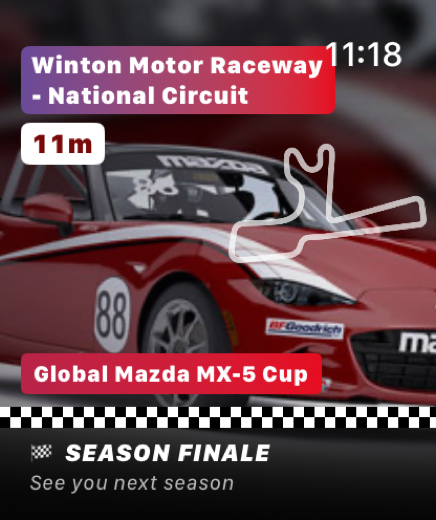
Every iRacing series moves to a new track on Tuesday, and sessions run around the clock — the Global MX-5 Cup goes green every 30 minutes. This card reads the week’s schedule live and counts down to the next race.
It’s the widget from Startlight, our iPhone and Apple Watch app: the same card for every series you follow, on your Home Screen with a live countdown. $9.99 once.

No subscription · No login · No data collected
The rig, the software, the driving, the setups, the sims.
Start anywhere — most of it applies no matter which sim you race.
The rig: build it, mount it, keep it from flexing
Wheelbases, pedals, button boxes, shifters, and a frame stiff enough to hold still when you stand on the brake. Buy it once and it carries into every sim you run.
Software: force feedback, telemetry, and the app stack
Tune force feedback until the front tires tell you what they are doing, then add telemetry, overlays, and tools like SimHub to see where the lap time went.
Driving: the line, the braking, the consistency
The racing line, threshold and trail braking, car control when the rear steps out, and the lap-after-lap consistency that wins races. None of it depends on the sim.
Setups: what every slider actually changes
Springs, dampers, anti-roll bars, differential, brake bias, and tire pressure, and how each one shifts the balance. Read a setup sheet and know what it does before you load it.
Sims: pick one and get started, iRacing in the most depth
iRacing gets full coverage, from licenses to iRating to what to buy first, plus a live page for every race on this week’s schedule. For ACC, Assetto Corsa, Le Mans Ultimate, and AMS2: what each is good at and how it differs.